
Guide
How to share tweets to Instagram Stories
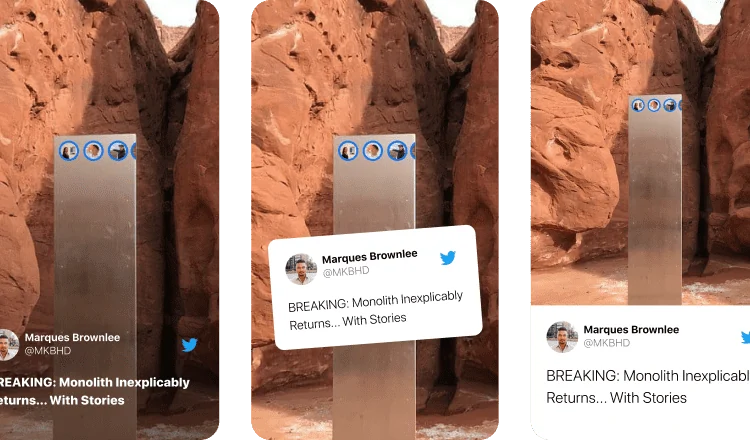
Turn any tweet into a designed Story card. to Stories offers five stunning layouts, including options built for tweets with photos.
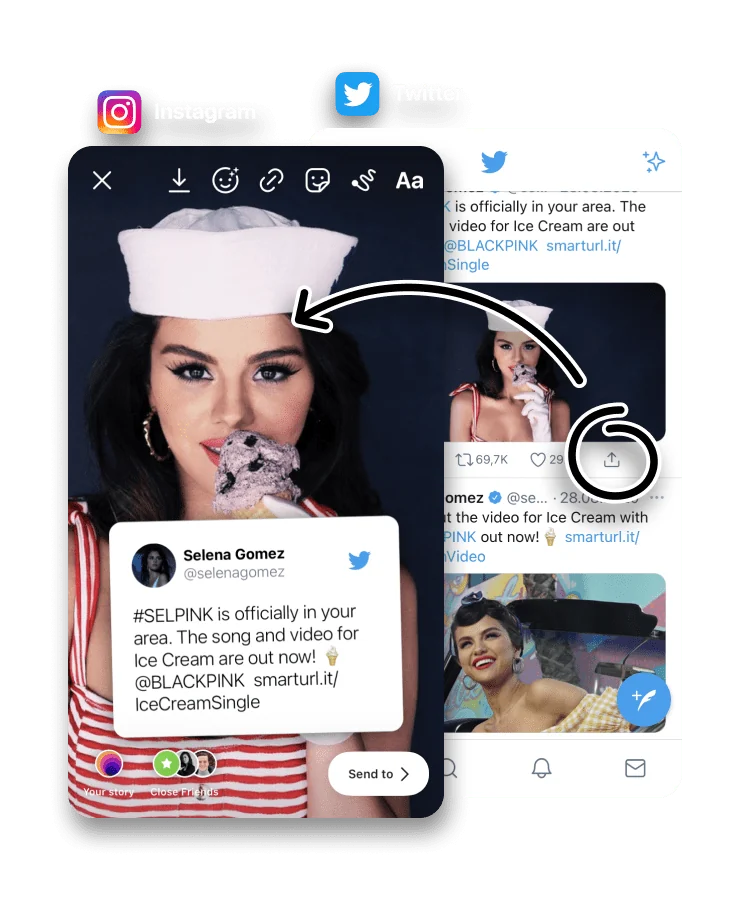
Screenshotting a tweet for your Story usually means cropping, stray interface and uneven sizing. to Stories rebuilds the post as a clean, legible card sized for the vertical Story canvas.
It works for posts on X (formerly Twitter), including posts with photos, with five layouts to choose from.
Open X (Twitter), choose the post you want to share and tap the Share icon (long-press the post if you are using the app).


Choose to Stories in the Share Sheet.

Your Story is ready to publish. Pick the layout you like best, or change the background color.
Why a card beats a screenshot
Screenshotting a post is the obvious move, and the one that disappoints. The screenshot arrives at whatever size and shape your screen happened to be, so it crops oddly on the 9:16 canvas, carries stray buttons and bars, and softens when Instagram scales it. to Stories rebuilds the post from scratch as a card made for the Story shape, so the text is sharp and the layout is clean.
Posts with photos
When a post includes an image, several of the five layouts are built around it, placing the photo and the text together rather than dropping one to fit. Switch layouts after the card is generated to see which framing suits the post.
X, formerly Twitter
The platform's rename from Twitter to X did not change how this works. Share a post from the X app or from x.com in a browser, choose to Stories, and the card is built the same way. The feature has tracked the platform through its changes.
Frequently asked questions
Does this work with X, formerly Twitter?
Yes. Share the post from the X app or website and choose to Stories, and the card is built from the post.
Can I share a tweet that includes a photo?
Yes. Several of the five layouts are designed specifically for posts with images.
Will the post text stay readable?
to Stories formats the post as a clean card sized for the Story canvas, so the text stays legible.
Is to Stories free?
Yes. to Stories is free to download and use, with an optional Pro subscription that unlocks every feature.
Why not just screenshot the tweet?
A screenshot picks up stray interface, crops awkwardly to the Story shape and softens when Instagram scales it. to Stories rebuilds the post as a clean card made for the canvas, so the text stays sharp.
The post is not turning into a card. What now?
Make sure you tapped Share on the post itself, not on the app, and that to Stories is in your Share Sheet. Sharing the post's link from x.com in Safari also works.