
Guide
How to add stickers on top of your Instagram Story
Add a tweet, YouTube or web page sticker on top of an existing photo or video Story.
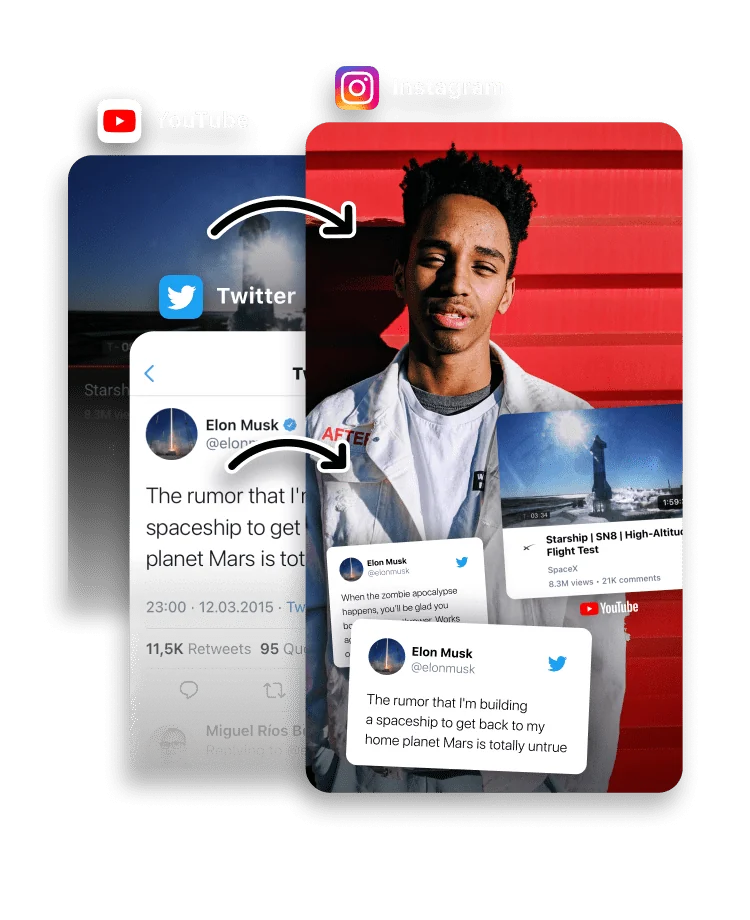
A standalone card is one way to share a tweet, web page or YouTube video; a sticker is the other. Stickers let you place that content on top of an existing photo or video Story, so it becomes part of the scene rather than the whole frame.
Because Instagram does not import these stickers directly, to Stories uses copy and paste: you generate the sticker, copy it, and paste it into Instagram’s Story editor.

In to Stories, generate a sticker from a tweet, web page or YouTube video. Under the share button, tap Copy & Go to Instagram.


Create a photo or video Story in Instagram. Tap as if you are adding text, then tap Paste.
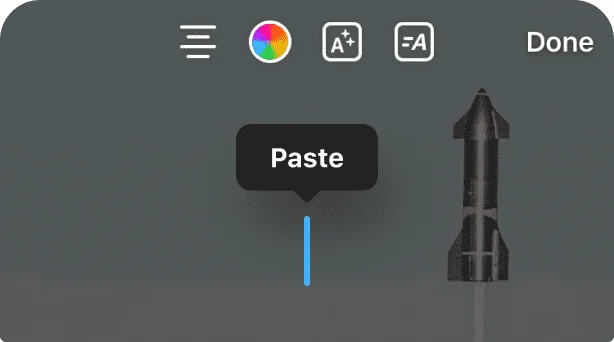
The sticker is added on top of your Story. Move it, resize it, or repeat the steps to add more.
What you can turn into a sticker
Any card to Stories builds can become a sticker: a tweet or X post, a web page or article, or a YouTube video. Generate the card as usual, then choose Copy & Go to Instagram instead of sharing it as a full Story. The sticker keeps the design of the card, sized to sit on top of an existing Story.
Why it works by copy and paste
Instagram does not let other apps drop stickers straight into the Story editor, so to Stories uses the clipboard instead. You copy the sticker, open Instagram, and paste it in. That is one extra tap compared with a normal share, and it is the only way to place outside content on top of a Story rather than as the whole frame.
If the sticker will not paste
Almost every paste problem comes down to the clipboard. The copied sticker stays available only until you copy something else, so do not copy a caption or a link in between. Copy the sticker, switch straight to Instagram, tap the Story as if adding text, and choose Paste. If nothing happens, return to to Stories and copy it again.
Frequently asked questions
What can I turn into a sticker?
Any tweet, web page or YouTube video card you generate in to Stories.
How does the sticker get into Instagram?
You copy the sticker in to Stories, open Instagram’s Story editor, tap as if adding text, and paste.
Can I add more than one sticker to a Story?
Yes. Repeat the copy-and-paste steps for each sticker you want to add, then move or resize each one.
Is to Stories free?
Yes. to Stories is free to download and use, with an optional Pro subscription that unlocks every feature.
Why won't the sticker paste into Instagram?
The copied sticker lasts only while it is the most recent thing you copied. Copy it in to Stories, switch straight to Instagram, and paste before copying anything else. If Paste does not appear, tap the Story as if adding text and try again.
What is the difference between a sticker and a card?
A card is a full Story built around the content. A sticker is the same content placed on top of a photo or video Story you already have, so the original scene stays visible behind it.