
Guide
How to share podcasts to Instagram Stories
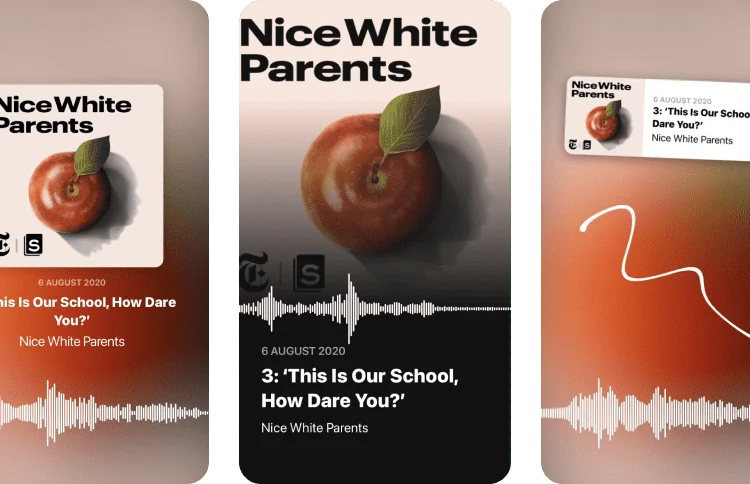
Share a favorite moment from an episode, or promote your own show. to Stories turns podcast audio snippets into Story cards with three layouts (Classic, Fullscreen or Compact) plus background options.
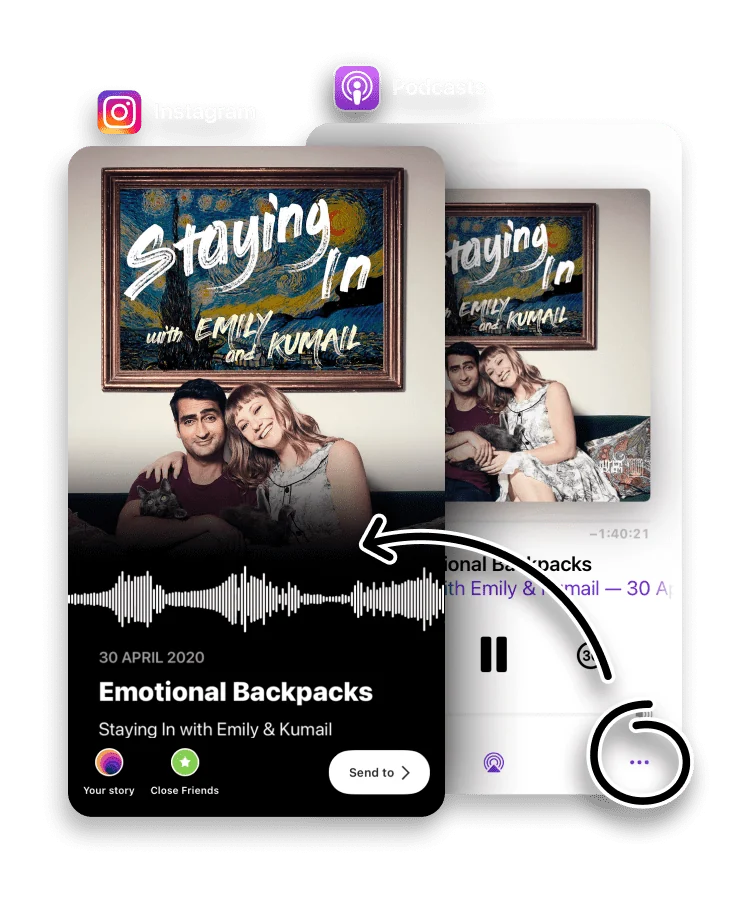
Sharing a podcast in a Story is hard to do well, because there is nothing visual to post. to Stories solves it by turning a 15-second audio snippet from an episode into a designed card, so followers can hear the moment that made you want to share it.
It is just as useful for podcasters promoting their own show as it is for listeners recommending a favorite episode.
Open Apple Podcasts, select an episode and tap the Share button.
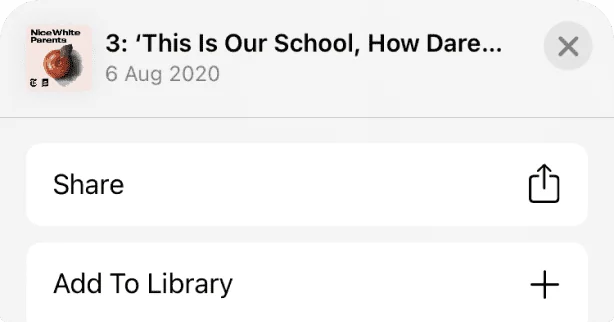

Choose to Stories in the Share Sheet.

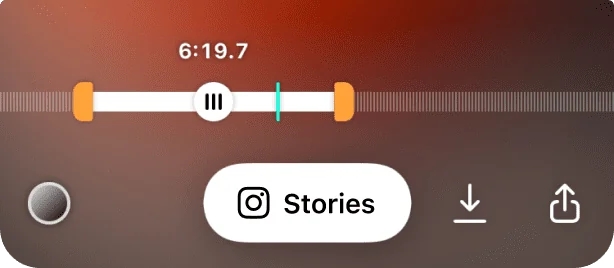
Pick the right moment in the episode, 15 seconds or less. Change the layout or background color, and your audio snippet is ready to publish.
Sharing also works from other apps, including Spotify, Google Podcasts, Pocket Casts, Castbox and Overcast.
To post 30, 45, 60 seconds or more, use the Next 15 button to trim and share the following moment, one snippet at a time.

Help your favorite podcasters grow by mentioning the author of the podcast in your Story.
Sharing a longer podcast moment
A single card is 15 seconds, which suits a sharp quote or a punchy clip. For a longer moment, share the first snippet, then tap Next 15 to trim and post the part that follows. Repeated, that turns a 45 or 60 second highlight into back-to-back Story frames that play in order. Adding Instagram's link sticker pointing at the episode lets listeners go straight to the full show.
Frequently asked questions
Which podcast apps does this work with?
Apple Podcasts, plus Spotify, Google Podcasts, Pocket Casts, Castbox and Overcast.
How long can the audio snippet be?
to Stories creates a 15-second audio snippet for each card. For a longer moment, the Next 15 button trims and shares the part that follows.
What layouts are available?
Three: Classic, Fullscreen and Compact, plus background color options.
Is to Stories free?
Yes. to Stories is free to download and use, with an optional Pro subscription that unlocks every feature.
Can I share a podcast moment longer than 15 seconds?
Yes. Share the first snippet, then tap Next 15 to trim and post the part that follows. Repeated, a 45 or 60 second highlight plays as back-to-back Story frames.
Can I promote my own podcast with this?
Yes. Podcasters use it to post a clip from a new episode, with the show artwork on the card. Mentioning the show in the Story helps listeners find it.